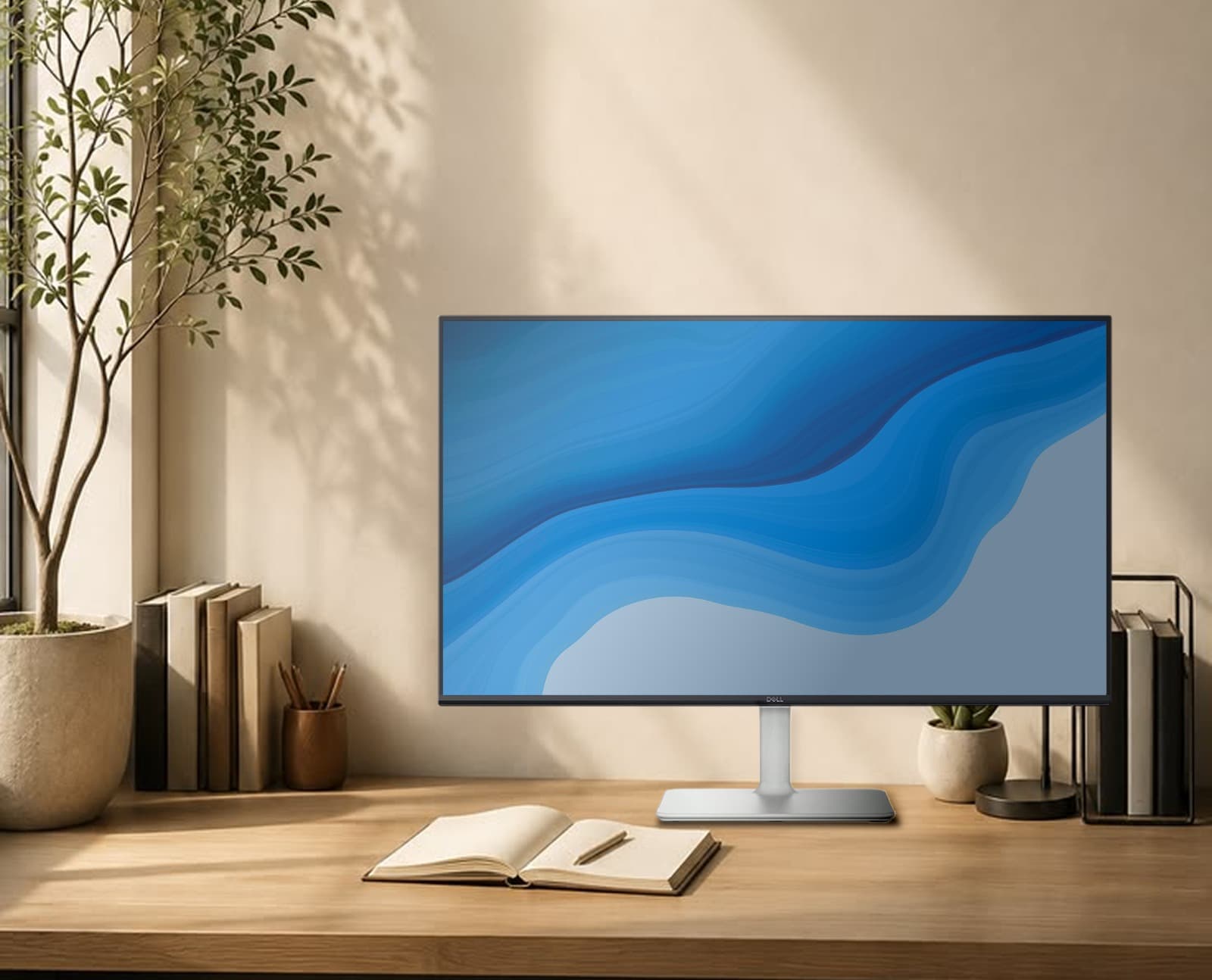
Dell S2425H Monitor in Nepal | Price, 100Hz IPS Display, 99% sRGB, Speakers, Ports & Features
Looking for a Dell monitor in Nepal that can handle office work, study, entertainment and casual gaming without moving into a much more expensive professional display category? The Dell S2425H is designed for exactly that kind of everyday use.
The Dell S2425H combines a 23.8-inch Full HD IPS display, 100Hz refresh rate, 99% sRGB color coverage, integrated dual 5W speakers and two HDMI 1.4 ports in a clean lifestyle-oriented design. It also features TÜV Rheinland 4-star Eye Comfort certification, ComfortView Plus and flicker-free technology.
In Nepal, AMB Infosys currently lists the Dell 24 S2425H 23.8-inch FHD IPS Monitor at NPR 32,000, with a 1-year authorized warranty. The product listing is currently shown as in stock.
The simple verdict is this: the Dell S2425H is a strong choice for office work, study, browsing and multimedia, while buyers focused heavily on competitive gaming, USB-C connectivity or advanced ergonomics should compare other monitors before purchasing.
Quick Verdict: Is the Dell S2425H Worth Buying?
Best ForOffice & Productivity The 23.8-inch FHD IPS panel, 100Hz refresh rate and eye-comfort features make it a practical everyday work monitor. | Best Feature100Hz + 99% sRGB The combination of a smoother 100Hz refresh rate and 99% sRGB coverage gives the S2425H a balanced everyday display specification. | Main LimitationLimited Connectivity You get two HDMI inputs, but there is no USB-C display connection, DisplayPort or built-in USB hub. |
Dell S2425H Price in Nepal
The current AMB Infosys listing places the Dell S2425H at NPR 32,000. The configuration includes a 23.8-inch Full HD IPS display, 100Hz refresh rate, 99% sRGB color coverage, dual 5W speakers, dual HDMI 1.4 ports and a 1-year authorized warranty.
| Product | AMB Price | Warranty | Availability |
|---|---|---|---|
| Dell 24 S2425H 23.8-inch Monitor | NPR 32,000 | 1 year authorized warranty | In Stock |
Price note: The NPR 32,000 price is the current AMB Infosys listing at the time this guide was prepared. Monitor prices and stock can change, so verify the product page before ordering.
Dell S2425H Specifications
| Specification | Dell S2425H |
|---|---|
| Brand | Dell |
| Model | S2425H |
| Series | Dell S Series Lifestyle Monitors |
| Display Size | 23.8 inches |
| Panel Type | IPS |
| Resolution | 1920 × 1080 Full HD |
| Aspect Ratio | 16:9 |
| Refresh Rate | 100Hz |
| Brightness | 250 nits typical |
| Contrast Ratio | 1500:1 typical |
| Color Gamut | 99% sRGB typical |
| Color Support | 16.7 million colors |
| Viewing Angle | 178° horizontal / 178° vertical |
| Response Time | 8ms Normal / 5ms Fast / 4ms Extreme |
| Screen Coating | Anti-glare with 3H hard coating |
| Speakers | 2 × 5W RMS |
| Audio Enhancement | Waves MaxxAudio tuning |
| HDMI | 2 × HDMI 1.4 |
| HDCP | HDCP 1.4 |
| VESA Mount | 100 × 100 mm |
| Stand Adjustment | Tilt |
| Tilt Range | -5° to +21° |
| Eye Comfort | TÜV Rheinland 4-star + ComfortView Plus |
| Bezel | Ultra-thin 3-sided bezel |
| Color | Ash White patterned back / Platinum Silver stand |
| Power Consumption | 14.5W typical |
| Warranty | 1 year authorized warranty |
Important: The Dell S2425H uses a 1500:1 typical contrast ratio. This is the specification used throughout this guide.
Table of Contents
| Price in Nepal | Display Quality |
| 100Hz Refresh Rate | Built-in Speakers |
| Ports & Connectivity | Eye Comfort |
| Gaming Performance | Frequently Asked Questions |
Why Consider the Dell S2425H?
The Dell S2425H is positioned as a lifestyle monitor for people who want a clean-looking display that can handle work and entertainment without requiring a separate speaker setup.
The biggest strengths are straightforward: 23.8-inch Full HD IPS, 100Hz refresh rate, 99% sRGB, dual 5W speakers, dual HDMI 1.4 inputs and Dell's eye-comfort features.
That combination makes it particularly attractive for home offices, student desks, general productivity, web browsing, streaming and casual gaming.
At the same time, buyers should know what this monitor is not. It is not a 4K professional creator monitor, it does not have USB-C docking, and its stand does not offer height adjustment.
Dell S2425H Display: 23.8-inch Full HD IPS
The S2425H uses a 23.8-inch IPS panel with a 1920 × 1080 Full HD resolution. It has a 16:9 aspect ratio, approximately 93 pixels per inch and 178-degree horizontal and vertical viewing angles.
For normal office work, browsing, documents, presentations and multimedia, this is a practical screen size and resolution combination.
The IPS panel also makes the monitor suitable for shared workspaces because the viewing angles remain wide when you are not sitting perfectly centered in front of the screen.
Color performance is another strong point. The display offers 99% sRGB typical coverage, which is useful for standard web content, office graphics, presentations and everyday photo work.
That does not make the S2425H a professional color-grading monitor. Buyers who need advanced calibration, HDR workflows, 4K resolution or wider professional color gamuts should consider higher-end displays.
| View Dell S2425H → |
Dell S2425H Display at a Glance
| Panel IPS | Resolution 1920 × 1080 |
| Size 23.8 inches | Color 99% sRGB |
| Brightness 250 nits | Viewing Angle 178° / 178° |
100Hz Refresh Rate: One of the S2425H's Biggest Advantages
The move from 60Hz to 100Hz is one of the most noticeable everyday improvements in the S2425H.
A higher refresh rate allows the display to update more frequently, making scrolling, window movement, cursor movement and supported game content feel smoother than a traditional 60Hz display.
For office users, this can make a surprisingly noticeable difference. Long web pages scroll more smoothly, windows move more cleanly and the overall desktop experience feels more responsive.
The S2425H supports 1920 × 1080 at up to 100Hz through its HDMI 1.4 inputs.
Built-in 2 × 5W Speakers
The S2425H includes two integrated 5W speakers, providing a total rated output of 10W. The speakers also feature Waves MaxxAudio tuning.
This is useful for online classes, meetings, YouTube, casual entertainment and everyday office work because you do not need to buy separate speakers just to get basic desktop audio.
Dedicated headphones or external speakers will still be preferable for users who care strongly about audio quality.
Why Speakers MatterUseful for classes, meetings, YouTube, casual entertainment and simple office setups. | What They Are NotThey are not designed to replace dedicated headphones or external desktop speakers for serious audio use. |
Eye Comfort: TÜV Rheinland 4-Star and ComfortView Plus
The S2425H features TÜV Rheinland 4-star Eye Comfort certification, ComfortView Plus and flicker-free technology.
The screen also uses an anti-glare coating with a 3H hard coating, which helps reduce distracting reflections in normal indoor environments.
These features make the monitor particularly relevant to students, programmers and office professionals who spend long periods reading and working on screen.
Of course, display technology cannot eliminate all eye fatigue. Room lighting, screen brightness, viewing distance and regular breaks still matter.
99% sRGB: What Does It Mean?
The monitor offers 99% sRGB typical color coverage, giving the S2425H strong coverage of the standard sRGB color space.
For websites, presentations, everyday photo work, social media graphics and general digital content, good sRGB coverage is useful because a large amount of mainstream content is created for this color space.
Professional photographers, video colorists and print-production users may still need a more advanced display with wider gamuts and stronger calibration features.
Ports and Connectivity
The S2425H keeps its connectivity simple, with two HDMI 1.4 inputs.
The HDMI inputs support up to 1920 × 1080 at 100Hz and HDCP 1.4.
| Connectivity | Dell S2425H |
|---|---|
| HDMI | 2 × HDMI 1.4 |
| Maximum listed HDMI mode | 1920 × 1080 at 100Hz |
| HDCP | HDCP 1.4 |
| DisplayPort | No |
| USB-C display input | No |
| USB hub | No |
| VESA | 100 × 100 mm |
This is convenient if you want to connect two HDMI devices, such as a PC and a console, and switch between them.
The main limitation is modern laptop connectivity. Users who want one-cable USB-C display, charging and peripheral connectivity will need a different monitor or a separate dock.
Design and Build
The Dell S2425H uses a minimalist lifestyle design rather than a conventional gaming aesthetic.
The monitor features an Ash White patterned back and Platinum Silver stand, along with an ultra-thin 3-sided bezel.
This makes it particularly suitable for clean office desks, study rooms and minimalist home setups.
Stand Adjustment
The included stand supports tilt adjustment from -5° to +21°.
It does not provide height adjustment, swivel or pivot adjustment.
The good news is that the monitor supports 100 × 100 mm VESA mounting, so you can use a compatible monitor arm if you want better ergonomic control.
Response Time and Motion
The S2425H offers the following response-time modes:
| Mode | Response Time |
|---|---|
| Normal | 8ms |
| Fast | 5ms |
| Extreme | 4ms |
The 4ms Extreme figure is the fastest listed response-time mode, but buyers should not judge the monitor on that number alone. The overall experience also depends on refresh rate, panel behavior and the selected mode.
For normal productivity and casual gaming, the S2425H's 100Hz refresh rate is the more important headline feature.
Is the Dell S2425H Good for Gaming?
For casual gaming and entertainment, the Dell S2425H is a good fit. Its 100Hz refresh rate provides smoother motion than a conventional 60Hz office monitor, while the fast response-time modes help keep moving content responsive.
However, it is better described as an everyday all-purpose monitor with gaming capability rather than a dedicated esports display.
Good Gaming MatchCasual & Everyday Gaming 100Hz gives smoother motion than a standard 60Hz office monitor and works well for casual gaming and entertainment. | Better AlternativeCompetitive Gaming Competitive players should compare higher-refresh dedicated gaming monitors before choosing the S2425H. |
Office Work: One of the S2425H's Strongest Use Cases
For office work, the S2425H makes considerable sense.
The 23.8-inch Full HD IPS display gives you enough workspace for documents, spreadsheets, browser tabs and communication apps, while 100Hz makes scrolling and desktop movement smoother.
Its built-in speakers can also simplify meeting and multimedia setups, while the eye-comfort features are useful for long sessions.
Is Dell S2425H Good for Students?
Yes. The monitor is well suited to online classes, research, documents, browsing, presentations and entertainment.
The 23.8-inch screen gives you more workspace than a typical laptop display, and the integrated speakers make online classes and video playback convenient without requiring separate speakers.
Is Dell S2425H Good for Coding?
The S2425H is a practical option for general programming and development work.
A 23.8-inch Full HD screen gives you enough room for an IDE, browser and terminal workflow, although developers who work with large codebases or many windows may prefer a QHD monitor or a multi-monitor setup.
The 100Hz refresh rate does not increase computing performance, but it does make scrolling and general interface movement feel smoother.
Is the Dell S2425H Good for Content Creation?
The monitor's 99% sRGB coverage makes it suitable for standard web graphics, presentations, social-media assets and everyday photo work.
However, professional creators who need 4K resolution, HDR, wider color gamuts, advanced calibration or a larger working canvas should consider a higher-end monitor.
Dell S2425H: Pros and Cons
Pros✓ 23.8-inch Full HD IPS display ✓ Smooth 100Hz refresh rate ✓ 99% sRGB color coverage ✓ Built-in 2 × 5W speakers ✓ Waves MaxxAudio tuning ✓ TÜV Rheinland 4-star Eye Comfort ✓ ComfortView Plus ✓ Dual HDMI inputs ✓ VESA 100 × 100 mm support ✓ Clean Ash White design | Cons✕ No DisplayPort ✕ No USB-C display input ✕ No built-in USB hub ✕ Stand only supports tilt ✕ 250-nit brightness is modest ✕ 100Hz may not satisfy competitive gamers |
Who Should Buy the Dell S2425H?
Office ProfessionalsThe 23.8-inch IPS display, 100Hz refresh rate and eye-comfort features make it a practical everyday workstation display. | StudentsA good match for studying, online classes, documents, browsing and entertainment. |
Home UsersUseful when you want one clean-looking monitor for browsing, streaming, casual gaming and general productivity. | Everyday Creators99% sRGB makes it suitable for web graphics, presentations and standard creative tasks. |
Who Should Skip the Dell S2425H?
The S2425H is not the best choice for every type of user.
Competitive gamers should compare dedicated displays with higher refresh rates and gaming-specific features.
Professional creators who require 4K resolution, HDR, wider color gamuts, advanced calibration or larger working areas should consider a more advanced monitor.
Users who specifically need USB-C docking, DisplayPort or a built-in USB hub should also look elsewhere.
Finally, if height-adjustable ergonomics are important to you, remember that the standard stand is tilt-only.
Is 250 Nits Bright Enough?
For a normal indoor office, study room or home environment, 250 nits is generally appropriate.
The monitor is not designed as a high-brightness HDR display, but it should work well in normal indoor conditions with appropriate brightness settings.
Does the Dell S2425H Have HDR?
The S2425H is positioned as a Full HD lifestyle and productivity monitor rather than an HDR-focused display. Buyers interested specifically in HDR performance should look at displays designed and specified for HDR.
What Is the Contrast Ratio of Dell S2425H?
The Dell S2425H uses a 1500:1 typical contrast ratio.
What Is the VESA Mount Size?
The Dell S2425H supports a 100 × 100 mm VESA mounting pattern. This allows you to use a compatible monitor arm or wall mount if you want better ergonomics than the included tilt-only stand provides.
What Comes With the Dell S2425H?
| Included Item | Availability |
|---|---|
| Monitor | Yes |
| Stand | Yes |
| Power Cable | Yes |
| HDMI Cable | Yes |
| Quick Setup / Documentation | Yes |
Physical Dimensions and Mounting
| Measurement | Dell S2425H |
|---|---|
| Screen Size | 23.8 inches |
| Display Area | 527.04 × 296.46 mm |
| Pixel Density | 93 PPI |
| VESA | 100 × 100 mm |
| Tilt | -5° to +21° |
What to Check Before Buying the Dell S2425H in Nepal
1. Check the Current Price
The AMB Infosys listing currently shows NPR 32,000. Check the product page immediately before purchasing because prices can change.
2. Confirm the Warranty
The current AMB listing specifies a 1-year authorized warranty. Keep your VAT invoice and warranty documentation after purchase.
3. Check Your Computer's Video Output
The monitor uses HDMI inputs. If your laptop only has USB-C video output, you may need a suitable adapter or dock.
4. Decide Whether 100Hz Is Enough
For productivity and general use, 100Hz is a worthwhile improvement over 60Hz. For competitive gaming, compare higher-refresh displays.
5. Consider Ergonomics
The supplied stand is tilt-only. If you need height adjustment, budget for a compatible VESA monitor arm.
6. Think About Your Real Workload
For browsing, study, office work, programming and entertainment, the S2425H is a sensible match. For advanced gaming or professional visual production, compare more specialized monitors.
Should You Buy the Dell S2425H at NPR 32,000?
Buy It If...You want a Dell 23.8-inch IPS monitor with 100Hz, 99% sRGB, built-in speakers and a clean design. | Think Twice If...You need USB-C docking, DisplayPort, a USB hub or a height-adjustable stand. | Look Elsewhere If...Your main priority is competitive gaming, professional color work or advanced connectivity. |
Dell S2425H: Best for Which Users?
| Use Case | Verdict | Why |
|---|---|---|
| Office Work | Excellent fit | IPS, 100Hz, 23.8-inch size and eye-comfort features |
| Study | Excellent fit | Good size, Full HD resolution and built-in speakers |
| Browsing | Excellent fit | 100Hz makes scrolling smoother |
| Programming | Good fit | 23.8-inch workspace and IPS viewing angles |
| Content Creation | Good for everyday work | 99% sRGB is useful, but this is not a professional creator display |
| Casual Gaming | Good fit | 100Hz and fast response modes |
| Competitive Gaming | Not ideal | Compare higher-refresh dedicated gaming displays |
| USB-C Laptop Docking | Not ideal | No USB-C display input or integrated USB hub |
Compare the Dell S2425H's Key Features
Display23.8-inch FHD IPS 1920 × 1080 • 100Hz • 99% sRGB | Audio2 × 5W Speakers Built-in audio for everyday multimedia and calls. | Connectivity2 × HDMI 1.4 Full HD at 100Hz with two HDMI inputs. |
Frequently Asked Questions
Click a question to reveal the answer.
What is the price of Dell S2425H in Nepal?
The Dell S2425H is currently listed by AMB Infosys at NPR 32,000. The listing currently shows the monitor as in stock.
What are the main specifications of Dell S2425H?
The Dell S2425H is a 23.8-inch Full HD IPS monitor with 1920 × 1080 resolution, 100Hz refresh rate, 99% sRGB coverage, 250 nits typical brightness, 1500:1 typical contrast and integrated 2 × 5W speakers.
Is Dell S2425H a 24-inch monitor?
Dell specifies the actual diagonal size as 23.8 inches. It is commonly marketed as a 24-inch-class monitor.
Does Dell S2425H support 100Hz?
Yes. The monitor supports a 100Hz refresh rate, with HDMI 1.4 supporting up to Full HD 1920 × 1080 at 100Hz.
Does Dell S2425H have built-in speakers?
Yes. It includes two 5W speakers, for a total rated output of 10W.
Does Dell S2425H have 99% sRGB?
Yes. The monitor provides 99% sRGB typical color gamut coverage.
What is the contrast ratio of Dell S2425H?
The Dell S2425H uses a 1500:1 typical contrast ratio.
Does Dell S2425H have DisplayPort?
No. The S2425H provides two HDMI 1.4 ports rather than DisplayPort.
Does Dell S2425H have USB-C?
No. The monitor does not provide USB-C display input or USB-C docking.
Does Dell S2425H have a USB hub?
No. There is no integrated USB hub.
Does Dell S2425H support VESA mounting?
Yes. The monitor supports a 100 × 100 mm VESA mounting pattern.
Can the Dell S2425H stand be height adjusted?
No. The supplied stand supports tilt adjustment, with a tilt range of approximately -5° to +21°.
Is Dell S2425H good for office work?
Yes. Its 23.8-inch IPS display, 100Hz refresh rate, 99% sRGB coverage, eye-comfort features and built-in speakers make it a strong everyday office monitor.
Is Dell S2425H good for gaming?
It is suitable for casual gaming because of its 100Hz refresh rate and fast response-time modes. Competitive gamers should compare higher-refresh gaming monitors.
Is Dell S2425H good for students?
Yes. It works well for online classes, documents, research, browsing and entertainment.
Is Dell S2425H good for programming?
Yes. The 23.8-inch Full HD IPS panel provides a practical coding workspace, although developers who need more screen real estate may prefer QHD or multi-monitor setups.
What warranty does AMB offer on Dell S2425H?
The current AMB product page specifies a 1-year authorized warranty with VAT invoice.
Is Dell S2425H worth buying at NPR 32,000?
It is a strong option for buyers who value a Dell 23.8-inch IPS display, 100Hz refresh rate, 99% sRGB, built-in speakers and eye-comfort features. At NPR 32,000, however, buyers who prioritize competitive gaming, USB-C connectivity or advanced ergonomics should compare alternatives before purchasing.
Final Verdict: Dell S2425H in Nepal
The Dell S2425H is a balanced 23.8-inch Full HD IPS monitor aimed at everyday users.
Its combination of 100Hz refresh rate, 99% sRGB coverage, IPS viewing angles, integrated dual 5W speakers, Waves MaxxAudio tuning and Dell's eye-comfort features gives it a strong everyday feature set.
The main weaknesses are straightforward: connectivity is limited to HDMI, the included stand only tilts, brightness is a modest 250 nits and buyers who want advanced gaming or professional creator features may need a different monitor.
At the current AMB Infosys price of NPR 32,000, the Dell S2425H makes the most sense for office professionals, students, home users and people who want a clean all-purpose monitor with built-in speakers.
Best ForOffice & Study A practical everyday monitor with 100Hz, IPS and eye-comfort features. | Best Feature100Hz + 99% sRGB A balanced combination for work, browsing, media and everyday content creation. | Watch Out ForLimited Connectivity No DisplayPort, USB-C or integrated USB hub. |
Check the Dell S2425H at AMB Infosys
The exact AMB product listing should remain the final reference for the current price, stock and local warranty information. The current listing is NPR 32,000 and is shown as in stock.
| View Dell S2425H → | Check Current Price → | Explore More Monitors → |
Why Buy Your Dell Monitor From AMB Infosys?
When buying a monitor in Nepal, product specifications are only part of the decision. Warranty, documentation, stock availability and support are also important.
Warranty & DocumentationAMB provides product documentation and warranty information with eligible products. The S2425H listing specifies a 1-year authorized warranty. | Technical SupportAMB offers product and technical assistance for customers who need help after purchase. |
DeliveryAMB provides delivery services for customers ordering products in Nepal. Check the current delivery terms for your location before ordering. | Current Product InformationAlways use the AMB product page as the final reference for current stock, price and warranty details. |
Ready to Choose the Dell S2425H?
If you want a 23.8-inch Full HD IPS monitor with 100Hz refresh rate, 99% sRGB, built-in 2 × 5W speakers and a clean Dell design, the S2425H is a well-rounded option for everyday use.
At the current AMB Infosys price of NPR 32,000, make sure the monitor's strengths match what you actually need. For office work, study, browsing and multimedia, it is a sensible package. For competitive gaming, USB-C docking or advanced ergonomics, compare alternatives before buying.
| View Dell S2425H → | Check Current Price → | Explore More Monitors → |